VShell · Mac app · By VAI Soft Lab
Your AI team, on your Mac.
You talk only to the PM, your AI project manager. The PM runs a team of AI agents in a project folder: it hands out the work, checks it and reports back. Claude Code, Codex, Cursor and Antigravity in one window, and you can speak your prompts.
YouPMLeadDeveloperTester
What is VShell
One window. Your voice. A team.
> which window is my work account?
> waiting for your answer…
> limit reached. Try again later.
> type a long prompt here…
> Add a dark mode switch to the settings page
● Reading the settings page…
● Plan: 3 small changes, then tests
● Changing 3 files…
✓ All tests pass. Ready for your review.
- One window.Claude Code, Codex, Cursor Agent and Antigravity, side by side in tabs. The real tools, not a copy.
- Your voice.Press the sparkle button and talk. VShell writes the clear prompt for you. Your speech stays on your Mac.
- A team.You talk only to the PM, your AI project manager. The PM hires AI members, hands out tickets and reports back. You decide.
Who VShell is for
Made for people who have work to do.
- Developers.Many AI sessions in tabs. Switch account or project in one click. A team that plans, builds and reviews.
- Freelancers.One app, several accounts, kept apart. Many projects open at once.
- Team leads and project managers.Talk to an AI project manager. It hires members, gives out tickets, tracks the work and reports back.
- Not a developer.No commands to learn. Say what you want. VShell turns it into a clear instruction.
- People who think by talking.Voice everywhere: a prompt, a meeting with the team, a check-in with one member.
Not only for code. An AI team can write documents, do research, sort files and prepare reports: any work the AI tools can do in a project folder.
How people use VShell
Five things people do with it.
-
You speakPM writes the ticketLead plansDeveloper buildsLead checksReport to you
Build this feature while I'm in a meeting.
You tell the PM what you need. It writes a ticket. A lead agent plans it, a developer agent builds it, the lead checks it. You come back to finished work and a short report. -
Recipe appShop siteBlog WWorkPPersonal
I have three projects and two accounts.
Every project and every account has its own colour and icon. The tabs show which is which. No more wrong-window mistakes. -
I hate typing long prompts.
Press the sparkle button and talk. The Prompt Creator asks short questions until it understands, then writes a clear prompt. You check it and send it. -
Workresets Wed Codexresets Sun Personalresets Tue
I ran out of my Claude limit.
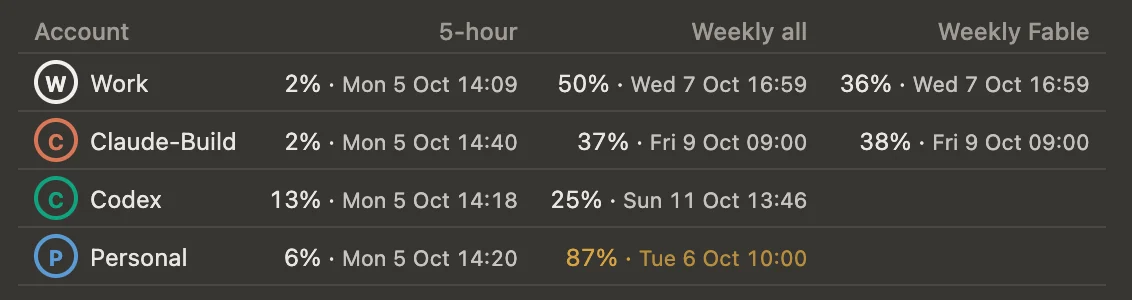
VShell shows how much of each account's limit is left, and when it resets. Move the work to another account, or to another tool like Codex, in one click. -
StartEndEnds by itself in 8 h
I want the work to go on at night.
Open a work period. Set it to end by itself after one to thirteen hours. The team works. Your Mac and screen stay awake while an agent is working.
VShell features
What is inside.
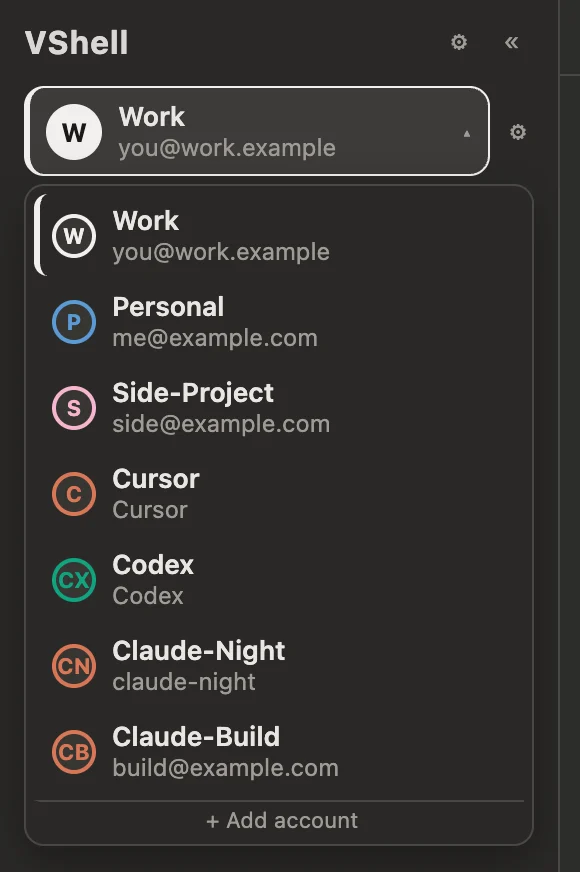
One app for many tools and accounts.
- Claude Code, Codex, Cursor Agent and Antigravity
- As many accounts as you like, each with its own colour and icon
- Pick the model and the effort level from the tool's own list
- Usage view: how much of each limit is used, and when it resets
- You sign in to each AI tool yourself. VShell never sees your AI password.
Sessions in tabs.
- One click starts a session: one conversation, one project folder
- A real, live terminal inside the app, so everything the tool can do works
- A comfortable text box under it: add files, slash commands, skills
- Tabs name themselves from your first prompt. A blinking dot shows which tab is busy.
- Past sessions listed by project (Claude Code). Click one to go on where you stopped.
> Add a search box to the recipe list
● Looking at the recipe list page…
● Adding the search box and a test
✓ Done. 2 files changed, tests pass.
Speak your prompt. VShell writes it.
- Press the sparkle button and talk
- A helper AI asks short questions until it understands
- It writes a clear, complete prompt into the text box
- You read it, change it if you want, and send it
- Speech recognition and the speaking voice run on your own Mac
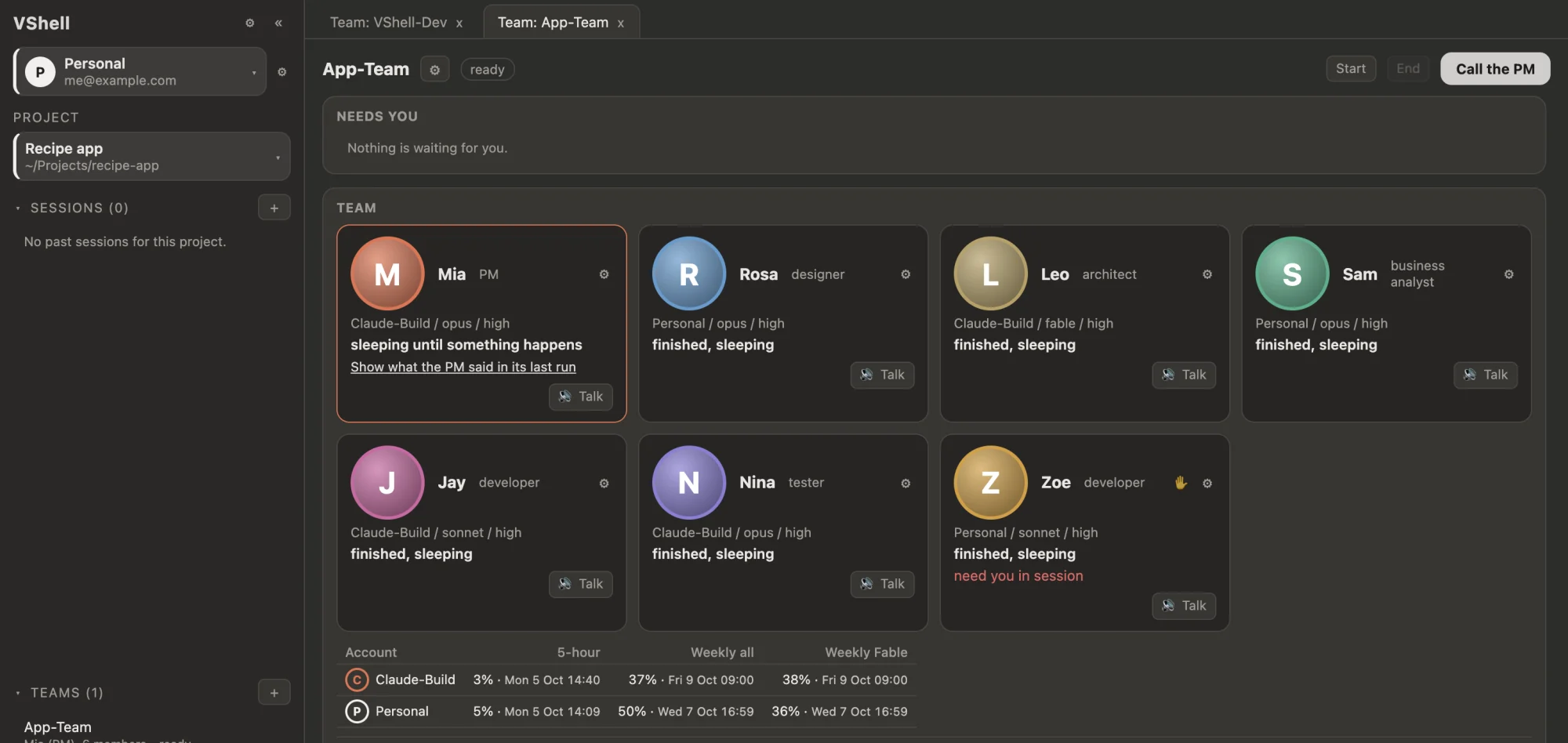
You talk to the PM. The PM runs the team.
- You talk only to the PM, your AI project manager: in meetings by voice or text. Every word is saved.
- The PM hires the AI members you agree on: name, role, photo, voice, account, model, effort
- The PM hands out the tickets, reads the reports, answers the members' questions and checks the work
- Members can be on different tools: one on Claude, one on Codex
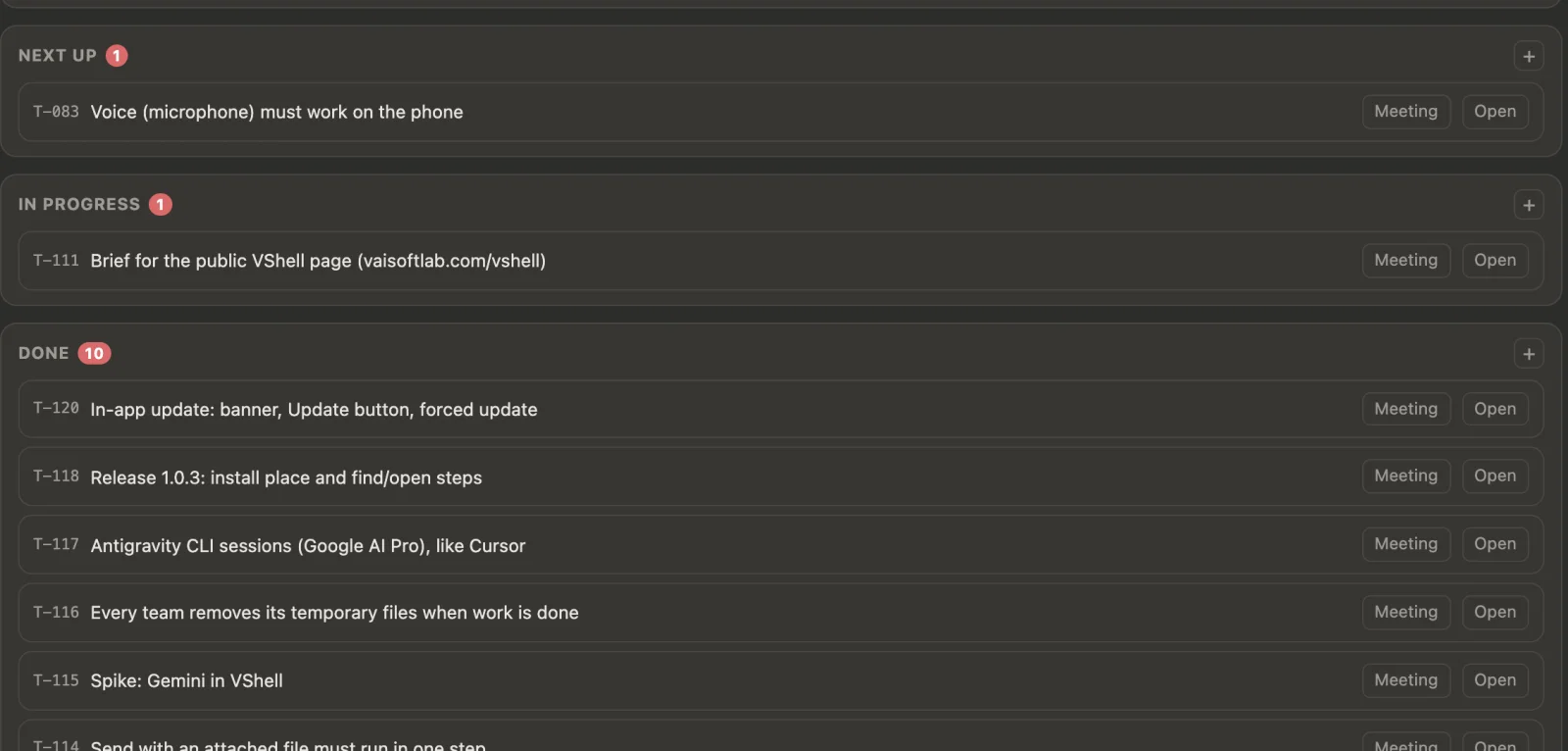
- Ticket board: Backlog, Next up, In progress, Done
- "Needs you": only real decisions, logins and OKs come to you
- If you want: watch any member live in its own tab, type in to help, or check in with one member by voice
- Work periods: Start, End, and an end timer (1 to 13 hours)
- A member never starts on an account that is almost out of its limit
- Library: good roles and skills, reused in your other teams
- Team email (Gmail, optional): reads mail, writes drafts. Every email waits for your OK.
Safe by design.
- Team agents write only inside the project folder
- Dangerous actions are always blocked: admin commands, wiping the disk or home folder, force-rewriting shared code history
- Only you start and end a work period
- An email or message from outside is never an order
- Email keys live in the Mac Keychain, never in a plain file
Your files, one click away.
- See the project's files and folders
- Double-click a file to put its path into your prompt
- Open, copy, paste, delete
- Share files and screenshots with the PM in a meeting
- recipe-app
- docs
- design
- menu-photo.png
- notes.md
- README.md
> Use this photo on the menu page:
design/menu-photo.png
● Adding the photo…
A real Mac app.
- Own window, Dock icon, menu-bar icon
- Updates itself: one press, downloads in the background, starts next time. Never stops running work.
- Keeps your Mac awake while an agent is working, and only then
- Can restart its inner server while every session and team member keeps running
How to install VShell
Four steps.
Not a developer? That's fine. You paste one line.
- Sign upat vshell.vaisoftlab.com: email link, Google or GitHub. No password.
- Paste one lineinto Terminal (the black text window on your Mac; find it with Spotlight):
curl -fsSL https://vshell.vaisoftlab.com/install | bash - Say "yes".The installer shows what it will install (the app and the voice files, about 2 GB), the sizes and the time. No admin password. No Homebrew.
- Open VShell,log in, add an AI account, pick a project folder, and start.
The same line also repairs, updates or removes VShell.
$ curl -fsSL https://vshell.vaisoftlab.com/install | bash
VShell installer
It will install: the VShell app, and the voice files (about 2 GB)
No admin password. No Homebrew.
Continue? yes
✓ VShell is installed. Open it and log in.
- A Mac with an Apple chip (M1 or newer). Intel Macs are not supported.
- macOS 14 (Sonoma) or newer.
- At least one AI tool installed and signed in: Claude Code, Codex, Cursor Agent or Antigravity. VShell does not install them and does not include AI use. You pay the AI company directly.
- Internet for sign-in and for the AI tools. VShell keeps working for 7 days without reaching the VShell website.
Which AI tools work with VShell
Works with the tools you already use.
| Tool | Session tabs | Team member | Voice meetings and check-ins | Past sessions list |
|---|---|---|---|---|
| Claude CodeAnthropic | ||||
| CodexOpenAI | Not yet | Not yet | ||
| Cursor AgentCursor | Not yet | |||
| AntigravityGoogle | Not yet | Not yet | Not yet |
Claude Code has the most complete support today. Antigravity works in session tabs only for now. This table changes as VShell grows.
Questions about VShell
Questions.
Is VShell an AI model?
No. VShell is an app. It runs the AI tools you already have, in one friendly window, with voice and teams.
Do I need to be a developer?
No. You install one AI tool and paste one install line. After that, you can talk to it.
Does VShell cost money?
No. The AI tools have their own plans, and you pay those companies directly.
Is my code sent to VAI Soft Lab?
No. The agents run on your own Mac. The VShell website only handles your sign-in and the download.
Is my voice sent anywhere?
No. Speech recognition and the speaking voice run on your Mac. When you talk to an AI tool, the written text of what you said goes to that tool, like any prompt.
Does it work on Windows, Linux or an Intel Mac?
Not now. VShell runs on Apple chip Macs with macOS 14 or newer.
Can the agents break my computer?
Team agents can only write inside the project folder. Dangerous commands are blocked. Only you start and end a work period.
Who makes VShell?
VShell is built by Vahid Alamipour at VAI Soft Lab in Sydney, Australia. Write to hello@vaisoftlab.com with questions or feedback.
Built by VAI Soft Lab
Built by VAI Soft Lab.
VShell is made by Vahid Alamipour at VAI Soft Lab in Sydney. It started as an everyday tool for managing multiple AI coding agents cleanly in one Mac window.
Along with VShell, VAI Soft Lab builds free browser games like Racers1 and Hold the Home and publishes plain-English articles and videos on how AI agents work.